
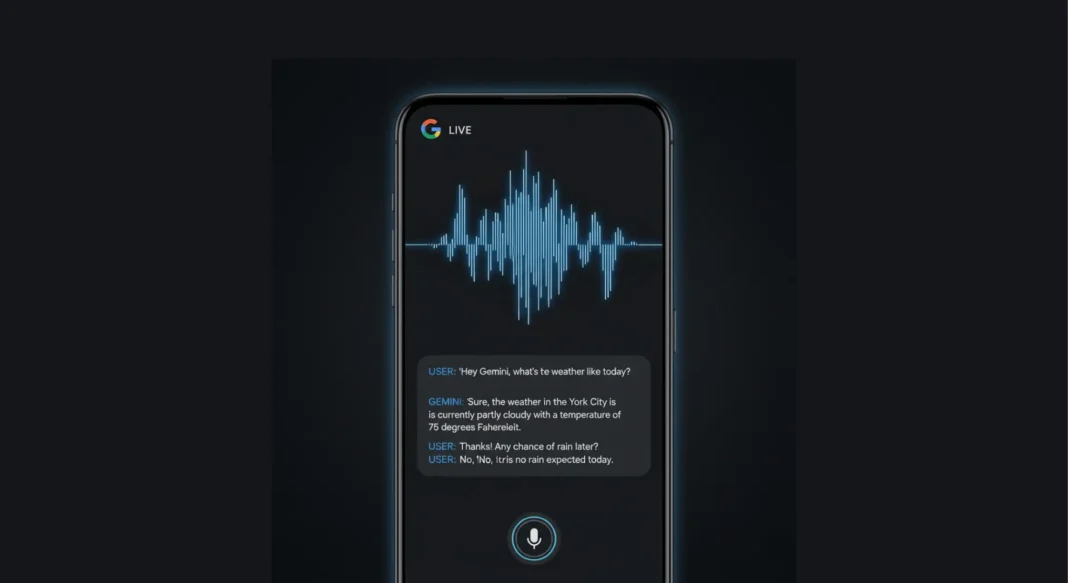
Google’s Gemini Live received major audio updates in November 2025, enabling human-like speech patterns with adjustable speeds, character accents, and natural conversational flow. Available free on Android and iOS, these updates position Gemini as a practical tool for language learning, interview prep, and interactive storytelling challenging ChatGPT’s Advanced Voice Mode in the conversational AI space.
Google just made AI conversations sound eerily natural and completely free. Gemini Live’s latest audio updates introduce features that blur the line between talking to a robot and chatting with a knowledgeable friend who happens to have infinite patience and can switch accents on command.
Unlike traditional voice assistants that feel robotic and transactional, Gemini Live now adjusts its speaking speed when you ask, practices Korean pronunciation with you at 2 AM, and can narrate Julius Caesar’s crossing of the Rubicon in character voice all without costing a penny. Here’s everything that changed and why it matters.
What Makes Gemini Live Different Now
The Shift From Robotic to Natural
Gemini Live’s November 2025 update fundamentally changes how Google’s AI communicates. Powered by the Gemini 2.5 Flash Live API, conversations now flow with human-like rhythm, complete with natural pauses, tonal variations, and adaptive pacing that responds to your needs.
The technical breakthrough involves improved audio processing that reduces latency to 200-400 milliseconds while maintaining conversational context throughout entire sessions. You can interrupt Gemini mid-sentence, change topics abruptly, or ask follow-up questions without the AI losing track of something earlier voice assistants struggled with.
However, Gemini Live still uses a traditional text-to-speech pipeline rather than native audio processing like ChatGPT’s Advanced Voice Mode. This means your speech gets converted to text first, processed by the language model, then converted back to speech creating slight limitations in emotional nuance recognition but enabling more precise control over output.
Five Core Audio Capabilities
Google introduced five game-changing features that transform Gemini Live from a simple voice interface into a versatile conversation partner:
Adjustable speech speed: Say “speed up” or “slow down” mid-conversation to control how fast Gemini talks. Perfect for cramming before exams, accessibility needs, or following along with complex explanations at your own pace.
Multi-language practice: Converse naturally in 45+ languages with pronunciation feedback. Gemini corrects your Spanish accent, explains Korean grammar nuances, or helps you rehearse French presentations in real-time.
Interview and conversation rehearsal: Simulate job interviews, practice difficult conversations, or prepare presentations in a judgment-free environment. Gemini adapts its responses based on your industry and role.
Character voices and storytelling: Request historical narrations in character (Julius Caesar explaining military strategy), bedtime stories with different voices for each character, or educational content delivered with personality.
Accent variety: Choose from entertainment accents including British Cockney for recipe instructions, cowboy drawl for party planning ideas, or various regional variations to keep conversations engaging.
How Gemini Live Actually Works
Getting Started on Android
Open the Gemini app on Android or iOS and tap the Live icon (three horizontal lines) next to the microphone. Select your preferred voice, then start speaking naturally. You can interrupt Gemini anytime, adjust speech speed with voice commands, and access conversation transcripts after each session.
Launch the Gemini app and look for the Live button; it’s represented by three horizontal lines positioned next to the standard microphone icon. Tap it to enter conversation mode.
You’ll see 10+ voice options ranging from warm and conversational to professional and measured tones. Preview each by tapping the play icon, then select your preference. The interface is intentionally minimal, just a large waveform animation showing Gemini’s voice activity and your conversation transcript scrolling below.
Gemini Live works even with your screen locked, making it ideal for hands-free use while driving, cooking, or exercising. Your full conversation history automatically saves to your Google account, accessible anytime through the app’s history section.
Getting Started on iOS
iPhone users get the same core experience through the Google Gemini app available in the App Store. The interface matches Android’s design philosophy, with the Live icon in the same prominent position.
iOS integration includes compatibility with iPhone accessibility features like VoiceOver and larger text settings. The app requires iOS 14 or later and works seamlessly across iPhone 7 and newer models, including all recent iPad variants.
One notable difference: Android’s screen sharing feature (allowing Gemini to see and discuss what’s on your display) launched first on that platform, though iOS parity is expected in future updates.
Platform Requirements
Gemini Live is free for all users on Android and iOS with no daily conversation limits, unlike ChatGPT’s Advanced Voice Mode which requires a Plus subscription. Some advanced features may require Gemini Advanced subscription, but core conversational capabilities are available to everyone at no cost.
Gemini Live requires an active internet connection since it processes conversations through Google’s cloud-based AI models. Minimum requirements include Android 10+ or iOS 14+, with at least 2GB RAM recommended for smooth performance.
The service supports 45+ languages including English, Spanish, French, German, Korean, Japanese, Hindi, Portuguese, Italian, Dutch, Polish, and many others. Language availability varies by region, with Google continuously expanding support based on user demand.
All core features voice conversations, speed adjustments, accent options, and conversation transcripts come free with a standard Google account. Some advanced capabilities like extended context windows or priority access may require Gemini Advanced subscription, but the November 2025 audio updates are available to everyone.
Practical Use Cases We Tested
Language Learning on Demand
Gemini Live excels at language learning practice with pronunciation feedback, interview rehearsal in low-pressure settings, adaptive tutoring with speed controls, brainstorming with hands-free conversation, and entertainment through character voices and accents. It’s ideal for students, language learners, and Google ecosystem users.
We tested Gemini Live’s language capabilities with Spanish greetings and Korean number counting over two weeks. The experience revealed genuine practical value for conversational practice that complements structured apps like Duolingo.
When practicing “¿Cómo estás?” pronunciations, Gemini provided real-time feedback: “Your ‘r’ sound is too hard try tapping your tongue once against the roof of your mouth.” It then demonstrated the correct pronunciation and patiently repeated it slower when requested.
Korean proved more challenging, but Gemini adapted by breaking complex sounds into phonetic components. Counting from 1-10 (일, 이, 삼…) involved multiple iterations where Gemini isolated difficult sounds, provided cultural context about when to use Sino-Korean versus native Korean numbers, and adjusted its teaching speed based on our comprehension signals.
The advantage over traditional language apps lies in the low-pressure, conversational environment. There are no streaks to maintain, no gamification pressure, just natural practice that flows at your pace similar to chatting with a patient tutor who never tires of repetition.
Interview Rehearsal and Public Speaking
Gemini Live’s conversational structure makes it surprisingly effective for interview practice. We simulated a product manager interview, asking Gemini to pose standard behavioral questions (“Tell me about a time you resolved team conflict”) and follow-up probes.
The AI adapts its questioning style based on your industry tech interviews to get technical depth questions, while sales roles receive scenario-based challenges. You can interrupt to reformulate answers, ask for feedback on your response quality, or request tougher questions.
However, Gemini cannot genuinely evaluate emotional tone or confidence levels since it processes speech as text rather than native audio. It analyzes word choice and structure effectively but misses vocal cues like nervousness or enthusiasm that human interviewers detect.
For public speaking prep, the “speed up” feature proved unexpectedly valuable. Practicing presentations at 1.5x speed forced clearer articulation, while slowing Gemini’s feedback to 0.75x helped us absorb complex suggestions about pacing and structure.
Education and Adaptive Learning
The speed adjustment feature transforms Gemini into an adaptive tutor. We tested this with a crash course in business analytics fundamentals, starting with basic concepts like KPIs and conversion rates.
Saying “speed up” when reviewing familiar territory (what revenue means) moved the explanation along briskly, while “slow down” during complex topics (cohort analysis calculations) gave us time to absorb details. Gemini maintained context throughout, referencing earlier concepts when building on them.
This adaptive pacing benefits users with different processing speeds, learning disabilities, or those studying in non-native languages. A neurodivergent student could slow explanations of abstract concepts while speeding through concrete examples customization impossible in traditional lectures.
Teachers could also use Gemini Live for creating differentiated learning materials. Record explanations at various speeds, generate transcripts for each version, and provide students options matching their comprehension levels.
Entertainment and Creative Applications
Character voices and accents walk a fine line between genuinely useful and playful gimmick. We tested both angles to determine practical value.
Requesting Julius Caesar to narrate his crossing of the Rubicon in character voice produced a dramatic, gravelly delivery: “Alea iacta est the die is cast.” The historical storytelling engaged in ways plain narration wouldn’t, making educational content memorable for students or history enthusiasts.
Recipe instructions delivered in a Cockney accent (“Right then, let’s get that chicken sorted properly”) added entertainment to mundane cooking tasks. Similarly, party planning suggestions in cowboy drawl (“Y’all are gonna need three types of BBQ sauce for that shindig”) injected personality into practical advice.
The gimmick factor is real; these features delight initially but may lose appeal after novelty fades. Their lasting value lies in accessibility (different accents aid comprehension for hearing-impaired users) and education (character voices make historical figures memorable for young learners).
Gemini Live vs ChatGPT Voice
Feature Comparison
| Feature | Gemini Live | ChatGPT Advanced Voice | Meta AI Voice |
|---|---|---|---|
| Cost | Free (unlimited) | $20/month (Plus subscription) | Free (limited) |
| Platforms | Android, iOS | iOS, Android, web | Facebook, Instagram, WhatsApp |
| Language Support | 45+ languages | 95+ languages | 40+ languages |
| Native Audio | No (STT/TTS pipeline) | Yes (multimodal) | Partial |
| Emotional Understanding | Limited | High (tone, mood, rhythm) | Moderate |
| Accent/Character Voices | Yes (new feature) | Limited | No |
| Speed Adjustment | Yes (voice command) | No | No |
| Interruption Handling | Good | Excellent | Moderate |
| Conversation Transcripts | Yes (full history) | Yes | Limited |
| App Integration | Gmail, Calendar, Keep | Third-party plugins | Meta ecosystem only |
| Screen/Camera Sharing | Yes (Android) | No | No |
| Usage Limits | None | Rate limits apply | Daily limits |
| Best For | Language learning, Google users, free access | Emotional conversations, natural flow, creative tasks | Social media integration |
Where Gemini Wins
Free unlimited access represents Gemini Live’s most compelling advantage. While ChatGPT charges $20 monthly for Advanced Voice Mode with usage restrictions, Gemini offers unrestricted conversations to anyone with a Google account.
Google app integration creates powerful workflows unavailable elsewhere. Ask Gemini to “check my calendar for conflicts this week” or “add milk to my shopping list in Keep,” and it executes seamlessly within your existing Google ecosystem. This contextual awareness extends to Gmail (compose/read emails), Tasks (manage to-dos), and upcoming YouTube Music integration.
The 45+ language support, combined with pronunciation feedback capabilities, makes Gemini Live particularly strong for language learners who need extensive practice without subscription costs. The speed adjustment feature adds accessibility value unmatched by competitors.
Screen sharing on Android (with iOS coming soon) enables visual context that pure voice assistants can’t match. Show Gemini a poster, recipe, or error message, and it can see and discuss what you’re viewing, bridging the gap toward multimodal understanding.
Where ChatGPT Still Leads
Gemini Live offers free unlimited access, 45+ language support, and Google app integration, but uses traditional text-to-speech conversion. ChatGPT’s Advanced Voice Mode (paid) provides native multimodal audio with better emotional understanding and speech nuance, but costs $20/month and has stricter usage limits.
ChatGPT’s Advanced Voice Mode processes audio natively end-to-end, creating genuinely natural conversations that capture emotional nuance, speech intonation, and subtle mood cues. This technical architecture produces noticeably more human-like interactions compared to Gemini’s text-intermediary approach.
Early testers consistently report ChatGPT handles interruptions more gracefully, maintains conversational flow through complex tangents better, and generates responses with appropriate emotional coloring based on voice tone. If you sound frustrated, ChatGPT adjusts its response style accordingly, something Gemini cannot detect.
ChatGPT can also attempt singing, accent replication, and voice-based creative performances with varying success. While often imperfect, these capabilities demonstrate the potential of native audio processing that Gemini’s current architecture cannot match.
For users already invested in the ChatGPT ecosystem with custom GPTs, third-party integrations, or professional workflows, the voice mode’s seamless integration justifies the subscription cost despite usage limits.
The Technical Difference
The architectural distinction matters more than feature checklists suggest. ChatGPT’s native multimodal audio processes your voice directly through neural networks trained on acoustic patterns, preserving paralinguistic information (tone, emotion, emphasis) throughout.
Gemini Live converts your speech to text (Speech-To-Text), processes that text through the Gemini language model, then converts the response back to audio (Text-To-Speech). This pipeline works efficiently but necessarily discards vocal nuance in the STT step and cannot recreate authentic emotional coloring in TTS output.
The tradeoff brings advantages: text-based processing enables precise control (speed adjustment, accent selection), easier debugging, and better integration with text-based services like Gmail. Native audio offers irreplaceable naturalness and emotional intelligence but less granular control.
Google’s roadmap includes Project Astra, which promises native multimodal understanding combining vision, audio, and context. When that launches, expect the technical gap to narrow significantly.
Limitations You Should Know
Current Technical Constraints
Gemini Live’s text-to-speech pipeline creates detectable artifacts in certain situations. Rapid back-and-forth exchanges sometimes produce slight delays as the system converts between modalities, breaking conversational flow compared to native audio processing.
The accent and character voice features, while entertaining, rely on TTS variations rather than true voice synthesis. This means “Julius Caesar voice” applies speech characteristics to output text rather than generating authentic vocal performance limiting realism.
Sessions reset context if you leave the app idle too long or switch between topics too abruptly. Unlike ChatGPT’s persistent conversation memory, Gemini Live treats each session somewhat independently, though it saves transcripts for reference.
Language detection occasionally struggles with code-switching (mixing languages mid-sentence), a common occurrence for multilingual speakers. The system expects language consistency within turns rather than organic blending.
Privacy and Data Considerations
Google stores Gemini Live conversations on its servers to enable transcript access, personalization, and service improvement. Your voice data undergoes processing through Google’s cloud infrastructure, raising privacy considerations for sensitive discussions.
Conversation transcripts remain accessible in your Google account history indefinitely unless manually deleted. While this enables continuity and reference, it also means personal information persists in Google’s ecosystem.
Users concerned about data collection can delete individual conversations or entire history through the Gemini app settings. However, this sacrifices the continuity benefits of saved context. Google’s privacy policy governs data handling, with standard protections applying but ultimate control resting with the platform.
Unlike end-to-end encrypted messaging, Gemini conversations are accessible to Google for system improvement and compliance purposes. Avoid discussing truly confidential information (passwords, financial details, health diagnoses) that you wouldn’t share via regular Google services.
Best Use Cases vs Not Recommended
Ideal applications: Language practice without judgment, brainstorming ideas with hands-free convenience, learning new concepts with adaptive pacing, interview rehearsal for common questions, cooking guidance while hands are occupied, entertainment through character narration, accessibility support for visual or reading challenges.
Not recommended: Emotional support requiring empathy and nuanced understanding, creative performances demanding authentic vocal expression, confidential conversations requiring privacy guarantees, advice on sensitive personal situations where tone matters critically, professional use cases where AI errors could have consequences.
Gemini Live functions best as an information assistant, learning partner, and creative brainstorming tool. It complements rather than replaces human interaction, structured learning programs, or professional services requiring expertise and accountability.
Tips for Getting the Most
Optimizing Your Conversations
Simply say “speed up” or “slow down” during your conversation with Gemini Live, and it will adjust its speaking pace in real-time. You can also say “speak faster” or “talk slower” for the same effect. These adjustments last for the duration of your current conversation session.
Phrase speed commands naturally: “Can you speed that up?” or “Slow down, please” both work alongside direct “speed up” requests. Gemini understands conversational variations rather than requiring exact syntax.
Use interruptions strategically Gemini expects them. If an answer veers off-topic or runs too long, jump in with “Actually, I meant…” or “Let me rephrase that” to redirect. The AI adapts quickly rather than requiring polite conversational turn-taking.
Combine speed control with complexity requests: “Explain quantum entanglement slowly, like I’m twelve” leverages both pacing and difficulty adjustment for optimal comprehension. Similarly, “Give me a quick summary, sped up” creates efficient overviews.
Request specific response formats: “Answer in three bullet points” or “Give me a step-by-step process” shapes output for clarity. Gemini handles structural requests well when explicitly stated.
Integration with Google Ecosystem
Gemini Live’s true power emerges through Google app extensions. Enable connections to Gmail, Calendar, Keep, and Tasks in settings to unlock contextual capabilities.
Ask “What’s on my calendar tomorrow?” and Gemini pulls your actual schedule. Say “Add reviewing budget proposal to my tasks” and it creates the entry without switching apps. Request “Email Sarah that I’ll be 15 minutes late” and Gemini composes a draft for your approval.
Google Keep integration enables voice-based note-taking: “Add to my grocery list: milk, eggs, bread, cheese” populates your shared shopping list instantly. “Create a note about the meeting discussion” generates a new Keep entry with Gemini’s summary.
The upcoming Project Astra integration will add computer vision capabilities, enabling Gemini to understand what your camera sees in real-time. Point at a poster and ask “Translate this for me” or show an error message for troubleshooting guidance.
Accessibility Applications
Speed control serves users with auditory processing differences, cognitive disabilities, or non-native language comprehension needs. Slowing explanations to 0.75x creates processing time without requiring repeated rewinding.
Voice selection helps users find tones that suit their hearing profiles some frequencies and speech patterns prove easier to understand for individuals with hearing loss. Testing multiple options identifies the most comprehensible choice.
Language switching within conversations helps multilingual families or users learning new languages by providing instant translation and practice. Switch from English questions to Spanish practice seamlessly in one session.
Visual impairment support comes through hands-free operation with screen lock, enabling information access without visual interface dependency. Combined with device screen readers, Gemini Live becomes a powerful assistive tool.
What’s Coming Next
Project Astra Integration
Google’s Project Astra represents the next evolution of a multimodal AI assistant combining vision, audio, and contextual understanding in real-time. Demo videos show users pointing their phone cameras at objects while asking questions, with Gemini seeing and understanding visual context.
Practical applications include translating foreign language signs instantly, identifying plants or animals during hikes, troubleshooting technical problems by showing error screens, getting cooking help by displaying ingredients, and receiving real-time navigation assistance based on what you’re viewing.
The combination of Gemini Live’s conversational capabilities with visual understanding creates an AI assistant that perceives the world more like humans do through multiple senses simultaneously. Expected launch timing remains unconfirmed, but Google positions it as the natural progression from audio-only interaction.
Technical challenges include processing latency (computer vision plus language generation taxes resources), privacy concerns (constant camera access), and accuracy (correctly identifying objects, text, and context in varied lighting and angles).
Competitive Landscape
Gemini Live’s November 2025 update introduced human-like speech patterns with adjustable speeds, character accents, and enhanced conversational flow. Key features include language learning practice, interview rehearsal modes, storytelling with character voices, and entertainment accents like cowboy or British Cockney for creative interactions.
OpenAI continues iterating Advanced Voice Mode with improved emotional understanding and reduced latency. Future updates may add video understanding, persistent memory across sessions, and third-party API access enabling developers to build voice-first applications.
Amazon plans significant Alexa overhauls powered by advanced language models, potentially launching subscription tiers with capabilities rivaling Gemini Live and ChatGPT. Leaked roadmaps suggest 2026 timeline for “Alexa Plus” with conversational AI features.
Meta AI voice capabilities expand across Facebook, Instagram, and WhatsApp, leveraging social context and connections. Expect features like “Ask Meta AI about this photo” or voice-based group chat participation integrated into existing social platforms.
The conversation AI war intensifies as companies recognize voice interfaces as the next primary interaction paradigm beyond typing and tapping. Winners will balance naturalness, utility, privacy, and cost areas where no current solution excels universally.
Should You Switch to Gemini Live?
Who Benefits Most
Language learners seeking unlimited free practice without subscription costs gain the most value. Gemini Live’s patient repetition, pronunciation feedback, and 45+ language support create a practice environment comparable to paid tutoring services.
Students needing adaptive tutoring with variable explanation speeds benefit from granular control over pacing. The ability to slow complex concepts while speeding familiar material personalizes learning in ways traditional lectures cannot.
Google ecosystem users already invested in Gmail, Calendar, Keep, and Tasks unlock powerful integrations unavailable with competing assistants. Voice-based email management, scheduling, and task creation streamline productivity workflows.
Voice interface enthusiasts and early adopters willing to accept current limitations in exchange for cutting-edge capabilities will enjoy exploring Gemini Live’s creative features like character voices and accent variations.
Who Should Wait
Users needing emotionally intelligent AI interactions should stick with ChatGPT’s Advanced Voice Mode or wait for Gemini’s native audio processing. Conversations requiring empathy, nuanced support, or emotional responsiveness exceed Gemini Live’s current text-pipeline capabilities.
Professional applications where AI accuracy critically matters (medical advice, legal guidance, financial planning) should avoid relying on any conversational AI, including Gemini Live. These tools assist learning and brainstorming but lack accountability and expertise verification.
Privacy-focused individuals uncomfortable with cloud-processed voice data should consider whether convenience justifies data sharing. Local processing alternatives exist, though with significantly reduced capabilities compared to cloud-based assistants.
ChatGPT Plus ecosystem users with custom GPTs, established workflows, and third-party integrations may find switching friction outweighs Gemini Live’s free access. The tools serve complementary purposes rather than being direct substitutes.
Getting Started with Gemini Live: Quick Action Steps
- Download Gemini app (Android via Google Play Store, iOS via App Store)
- Select preferred voice from 10+ options with different tones and accents
- Test speed commands by saying “speed up” and “slow down” during a practice conversation
- Practice a language you’re learning with pronunciation feedback
- Try accent features for entertainment (request cowboy, British, or character voices)
- Review conversation transcripts in app history to track learning progress
- Explore screen sharing (Android users) by showing Gemini visual content
- Set up Google app extensions (Gmail, Calendar, Keep) in settings for productivity integration
Frequently Asked Questions
What languages does Gemini Live support?
Gemini Live currently supports real-time voice conversations in 45+ languages, including English, Spanish, French, German, Korean, Japanese, Hindi, Portuguese, and many others. Language availability may vary by region and device, with Google continuously expanding support based on user demand and linguistic complexity.
Can I use Gemini Live offline?
No, Gemini Live requires an active internet connection to function, as it processes conversations through Google’s cloud-based AI models. The app needs connectivity to both understand your speech and generate real-time responses with the latest model capabilities. Offline voice assistants exist but offer significantly reduced functionality compared to cloud-powered services.
How do I change the voice speed in Gemini Live?
Simply say “speed up” or “slow down” during your conversation with Gemini Live, and it will adjust its speaking pace in real-time. You can also say “speak faster” or “talk slower” for the same effect. These adjustments last for the duration of your current conversation session and reset when you start a new chat.
Does Gemini Live work on iPhone?
Yes, Gemini Live is available on iOS devices through the Google Gemini app in the App Store. iPhone users get the same core features as Android, including voice conversations, speed adjustments, accent options, and conversation transcripts, though some Android-specific integrations like screen sharing may differ in availability or functionality.
Can Gemini Live understand emotions in speech?
Currently, Gemini Live uses a traditional text-to-speech pipeline and cannot natively understand emotional tone, speech intonation, or mood like ChatGPT’s Advanced Voice Mode. It processes spoken words into text first, losing nuanced vocal cues like frustration, excitement, or sarcasm, though future updates with native audio processing may improve this capability significantly.
How is Gemini Live different from Google Assistant?
Gemini Live offers conversational AI powered by Google’s advanced Gemini language models, enabling natural back-and-forth dialogue, creative tasks, and complex reasoning. Google Assistant focuses on quick commands and device control with limited context understanding. Gemini provides deeper contextual awareness, allows interruptions mid-response, and generates creative content Assistant cannot, representing Google’s next-generation assistant strategy.
Is Gemini Live better for language learning than Duolingo?
Gemini Live excels at conversational practice and real-time pronunciation feedback in a low-pressure environment, complementing structured apps like Duolingo. While Duolingo offers gamified lessons and systematic progression tracking, Gemini provides free-form speaking practice, cultural context explanations, and adaptive difficulty that traditional apps lack. They work best together Duolingo for structured learning, Gemini for conversational fluency.
Can I use Gemini Live with my screen locked?
Yes, you can initiate and continue conversations with Gemini Live even when your phone screen is locked, making it ideal for hands-free use while driving, cooking, or exercising. This works on both Android and iOS devices with proper microphone and app permissions enabled in your device settings.

